Figures below come from llama.cpp's own measurements; re-check them against the build you install.
A 70-billion-parameter model in its native FP16 format needs about 140 GB just to hold the weights. No single consumer GPU has that. A 24 GB RTX 3090 or 4090 — the top of the consumer stack — can't even fit a 13B model at full precision: 13B at FP16 already needs 26 GB before any runtime overhead.
So how do people run Llama 70B at home? Quantization. It's the one trick that turns "you need a datacenter" into "this fits on hardware you can actually buy."
This walks through what quantization actually does, the memory math worth memorizing, how to read the cryptic Q4_K_M-style labels, and which level to pick for the GPU you have.
Why big models don't fit
An LLM is mostly a giant pile of numbers — its weights. By default each weight is stored as a 16-bit floating-point value (FP16 or BF16), which is 2 bytes. So the raw memory for the weights is roughly:
memory ≈ parameters × bytes-per-weight
At FP16 that's 2 bytes each. A 7B model lands around 14 GB. A 70B model lands around 140 GB. That second number is the whole problem: it's an order of magnitude past what a single consumer card holds.
What quantization actually is
Quantization stores each weight using fewer bits — typically 4 instead of 16. Instead of a high-resolution floating-point number, each weight gets mapped onto a small set of discrete values, with a shared scale factor per group of weights to cover the range. Think of it as rounding, done cleverly and in bulk.
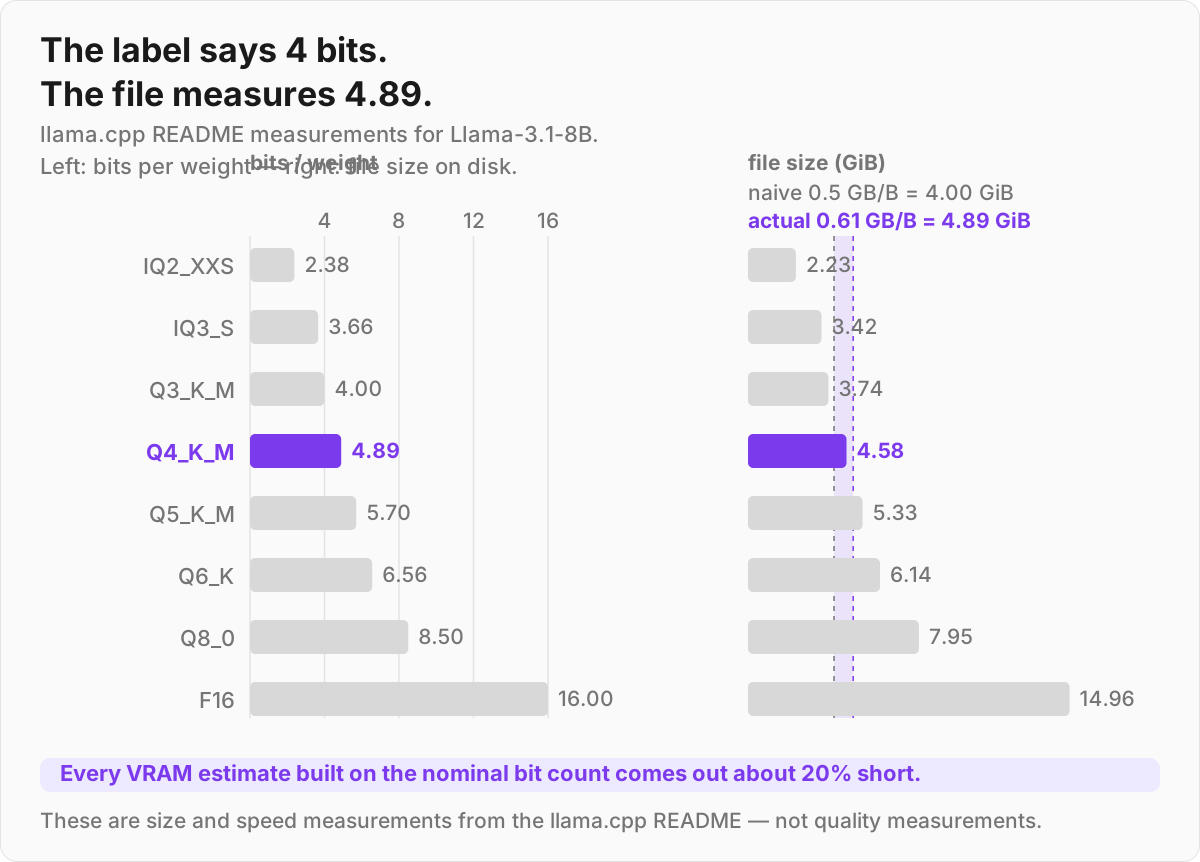
The trade is precision for size. Drop from 16 bits to 4 and the file shrinks by a bit over 3x in practice — nominally 4x, but real 4-bit formats average closer to 4.9 bits — and it loads faster and leaves room for longer context.
You lose some numerical accuracy, but modern methods are good at losing it where the model doesn't care — most weights tolerate aggressive rounding, and the few that matter get handled specially. At 4-bit, many users report no perceptible difference on chat and summarization.
The formulas to remember
Weights memory scales linearly with bits:
VRAM (weights) ≈ (parameters × bits-per-weight) / 8 + overhead
Work the hard example at 4-bit:
- 70B → weights alone at Q4_K_M: 70e9 × 4.89 / 8 = ~43 GB. The naive "4 bits = 0.5 GB per billion" shortcut gives 35 GB and undershoots by about 20% — use ~0.61 GB per billion for Q4_K_M.
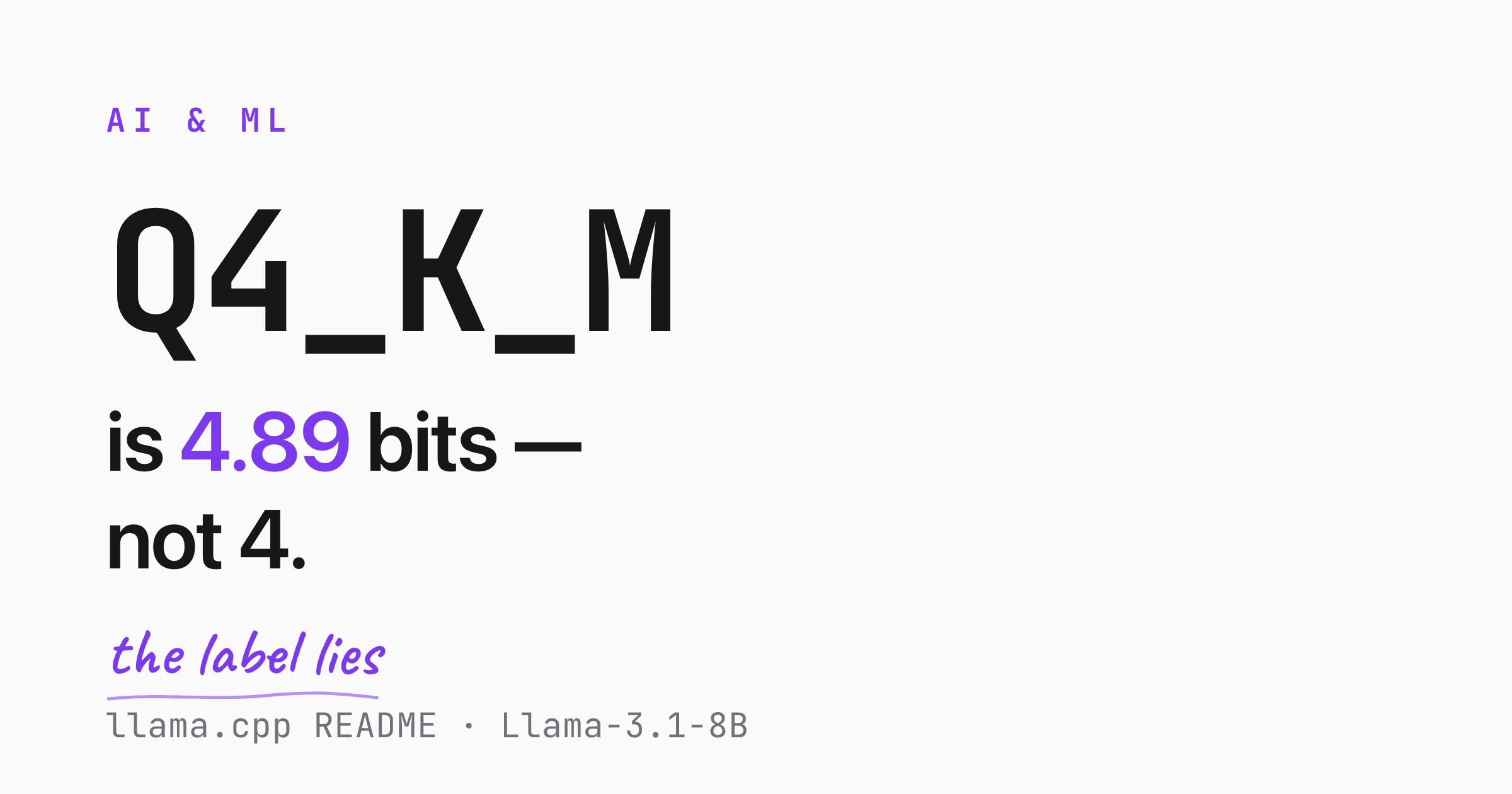
Real files run larger than the naive math for two reasons. First, "4-bit" formats aren't exactly 4 bits — they carry scale factors and keep some tensors at higher precision, so the measured average for Q4_K_M is 4.89 bits per weight, not 4. Second, the weights are not the only thing in VRAM.
The second-biggest item is the KV cache — the memory holding your context window. It has its own formula:
KV cache ≈ 2 × layers × kv_heads × head_dim × bytes × context
Put Llama-3.1-8B's numbers in (32 layers, 8 KV heads, head_dim 128, FP16 at 2 bytes) and you get 128 KiB per token. That scales straight with context: 8K ≈ 1 GiB, 32K ≈ 4 GiB. Note what that means — on an 8B model, running a 32K context costs you nearly as much memory as the quantized weights themselves.
Budget for both, and remember that the cache grows while you use it, not when you load the model.
Reading GGUF quant labels
If you use Ollama, LM Studio, or llama.cpp, you'll download GGUF files with names like Q4_K_M. Here's the decoder. The number is the nominal bits per weight. The _K means a K-quant (the modern, smarter scheme). The _S / _M / _L suffix is small / medium / large — how much extra precision is spent on the important tensors. Higher = bigger and better.
The actual measured bits-per-weight (from llama.cpp's own quantize README, on Llama-3.1-8B) tells the real story:
| Quant | Real bits/weight | Notes |
|---|---|---|
| IQ2_XXS | ~2.38 | Last resort for tiny VRAM |
| IQ3_S | ~3.66 | Squeeze a bigger model onto a small card |
| Q3_K_M | ~3.99 | Noticeable quality loss |
| Q4_K_M | ~4.89 | The community default sweet spot |
| Q5_K_M | ~5.70 | A step up in fidelity |
| Q6_K | ~6.56 | Very close to lossless |
| Q8_0 | ~8.50 | Effectively lossless |
| F16 | 16.00 | Full precision baseline |
For Llama-3.1-8B specifically the README measures: F16 14.96 GiB, Q4_K_M 4.58 GiB, Q5_K_M 5.33 GiB. A 7B model runs about 12% smaller across the board.
Q4_K_M is the default for a reason
— roughly a 69% size cut (3.3x smaller) against F16. On quality, be careful what you infer from that table: the README table measures size and speed, not quality. For perplexity you need a separate run — and the honest summary is that the Q4_K_M penalty is small in aggregate benchmarks but unmeasured for your prompts.
The IQ-quants (IQ2/IQ3) exist for when you're truly out of room and willing to trade real quality to fit.
GGUF vs GPTQ vs AWQ vs FP4
GGUF isn't the only game. The four worth knowing:
| Format | Best for | Key property |
|---|---|---|
| GGUF | Limited VRAM, mixed CPU+GPU | File format for inference; offloads layers to system RAM when the GPU fills up |
| GPTQ | Pure-GPU throughput | Early 4-bit method, strong CUDA performance |
| AWQ | Quality-sensitive GPU inference | Activation-aware; uses activation statistics to scale salient weight channels before uniform 4-bit quantization — deliberately avoiding mixed precision, which the authors call hardware-inefficient |
| FP4 (NVFP4 / MXFP4) | Newest NVIDIA/AMD hardware | 4-bit float with native hardware acceleration |
GGUF is the go-to when VRAM is the constraint, because it's the one that gracefully spills layers onto system RAM (slower, but it runs). GPTQ and AWQ assume the model fits on the GPU and optimize for speed and accuracy there.
You'll see blog posts ranking these by a precise "quality %" — treat those numbers with suspicion, since there's no standardized cross-format benchmark behind most of them.
The genuinely new development is FP4. NVFP4 is a 4-bit float (1 sign, 2 exponent, 1 mantissa bit) introduced with NVIDIA's Blackwell GPUs. It uses two levels of scaling — an FP8 scale per 16-value block plus an FP32 per-tensor scale — to keep accuracy high at 4 bits.
NVIDIA reports it cuts memory ~3.5x versus FP16, and on DeepSeek-R1-0528 it showed ≤1% accuracy degradation versus FP8 on key tasks. On throughput, one measurement on Llama 3.3 70B Instruct puts NVFP4 at 2.35x the throughput of INT4 on Blackwell — but only when weights and activations are both NVFP4; weight-only NVFP4 shows almost no gain over INT4.
That condition is the whole result, and it usually gets dropped in the retelling. MXFP4 is the related format using 32-value blocks, and AMD support is already shipping — the MI350 series handles it natively in CDNA4's matrix units. If you're on Blackwell, this is the format to watch.
Loading and fine-tuning in 4-bit
If you live in the Hugging Face transformers world rather than GGUF, bitsandbytes handles quantize-on-load. Pass load_in_4bit=True and it loads the model directly in 4-bit using the NF4 data type (designed to be near-optimal for the normally-distributed weights typical of neural nets).
With double quantization the effective rate lands near 4.13 bits per weight, so a 70B model comes down from ~140 GB to roughly 36 GB — a few gigabytes under the GGUF Q4_K_M figure of ~43 GB, because Q4_K_M deliberately spends more bits on the tensors it considers important.
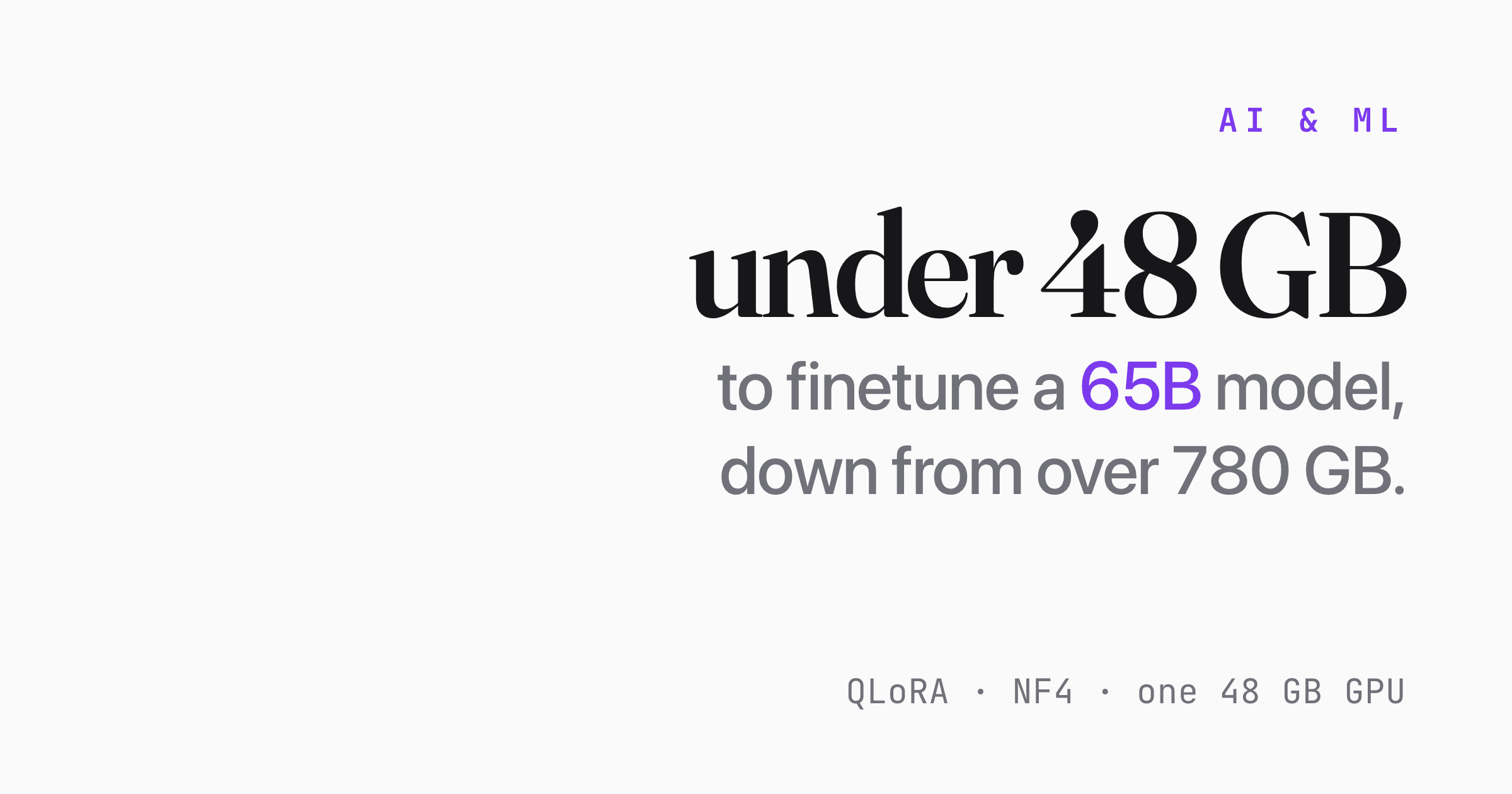
The same machinery powers QLoRA, which lets you fine-tune in 4-bit. The headline result from the QLoRA paper: fine-tuning a 65B model on a single 48 GB GPU while keeping roughly full 16-bit task quality. Fine-tuning a model that size used to mean a rack of GPUs.
Pick-your-GPU cheat sheet
These are realistic targets at Q4_K_M, weights plus a reasonable context budget:
| VRAM | Realistic models (Q4_K_M) | Notes |
|---|---|---|
| 4–6 GB | 3–4B | Phi-class, small Qwen/Llama variants |
| 8–12 GB | 7–8B | The sweet spot — Llama 3.1 8B, Qwen3 8B run comfortably |
| 16–24 GB | 13–32B | A single 3090/4090 covers most of this range |
| 48 GB+ | 70B-class | ~43 GB of weights plus KV cache — budget 46–48 GB |
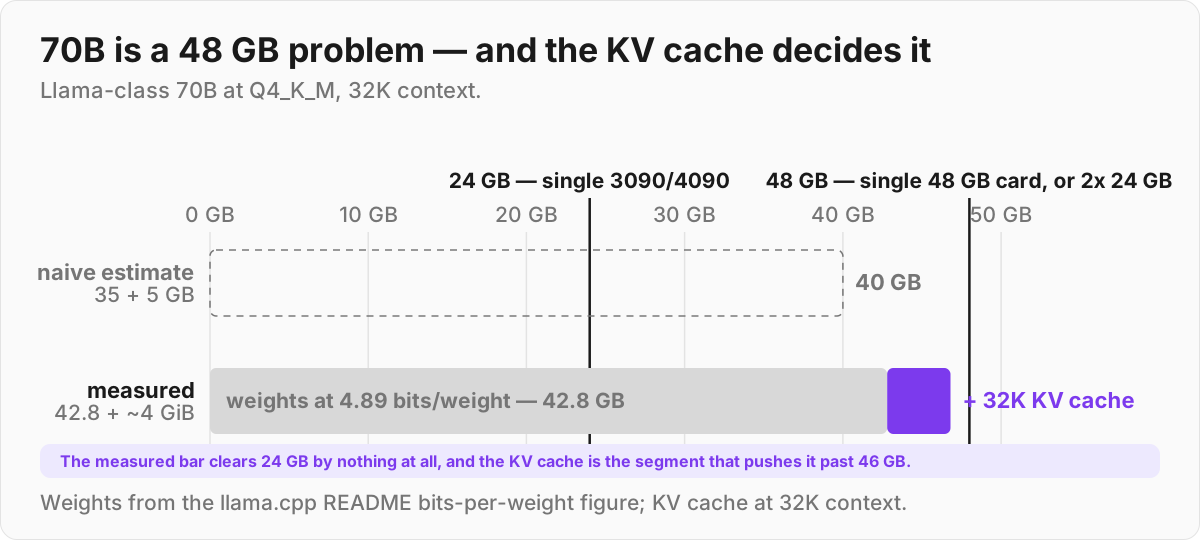
The awkward case is 70B on a single 24 GB card: it doesn't fit, so you offload layers to system RAM. It runs, but expect it to be much slower than fully-on-GPU inference. For a smooth 70B experience you really want ~48 GB — a single 48 GB card, two RTX 3090s, or an Apple Silicon machine with enough unified memory.
Gotchas worth knowing
A few things that trip people up:
- Lower quant isn't always worse for your task. A Q4 model can be perfectly fine for summarization or chat while a Q8 is wasted effort. Test on your own prompts before assuming you need more bits.
- Context eats VRAM separately. The KV cache grows with context length — 128 KiB per token on an 8B model, so a model that fits at 4K context may OOM at 32K. If you're tight, shrink the context window before downgrading the quant.
- Offloading to system RAM works but is slow. It's a fallback, not a plan. Layers on the CPU run at a fraction of GPU speed.
- Verify quality yourself. Perplexity numbers are an aggregate, and they're not in the size table people usually cite. Run a handful of your real prompts at two quant levels and compare.
The decision rule
Default to Q4_K_M GGUF. Step up to Q5_K_M or Q8_0 if you have VRAM to spare and want the headroom. Reach for IQ-quants or CPU offloading only when you're genuinely out of room. And if you're on Blackwell hardware, look at NVFP4 — native 4-bit float is where this is all heading, provided you can quantize the activations too.