Most ComfyUI failures fall into two buckets: it won't start (or a node won't load), or it crashes mid-generation with CUDA out of memory. The fixes for both are short and copy-pasteable once you know which bucket you're in.
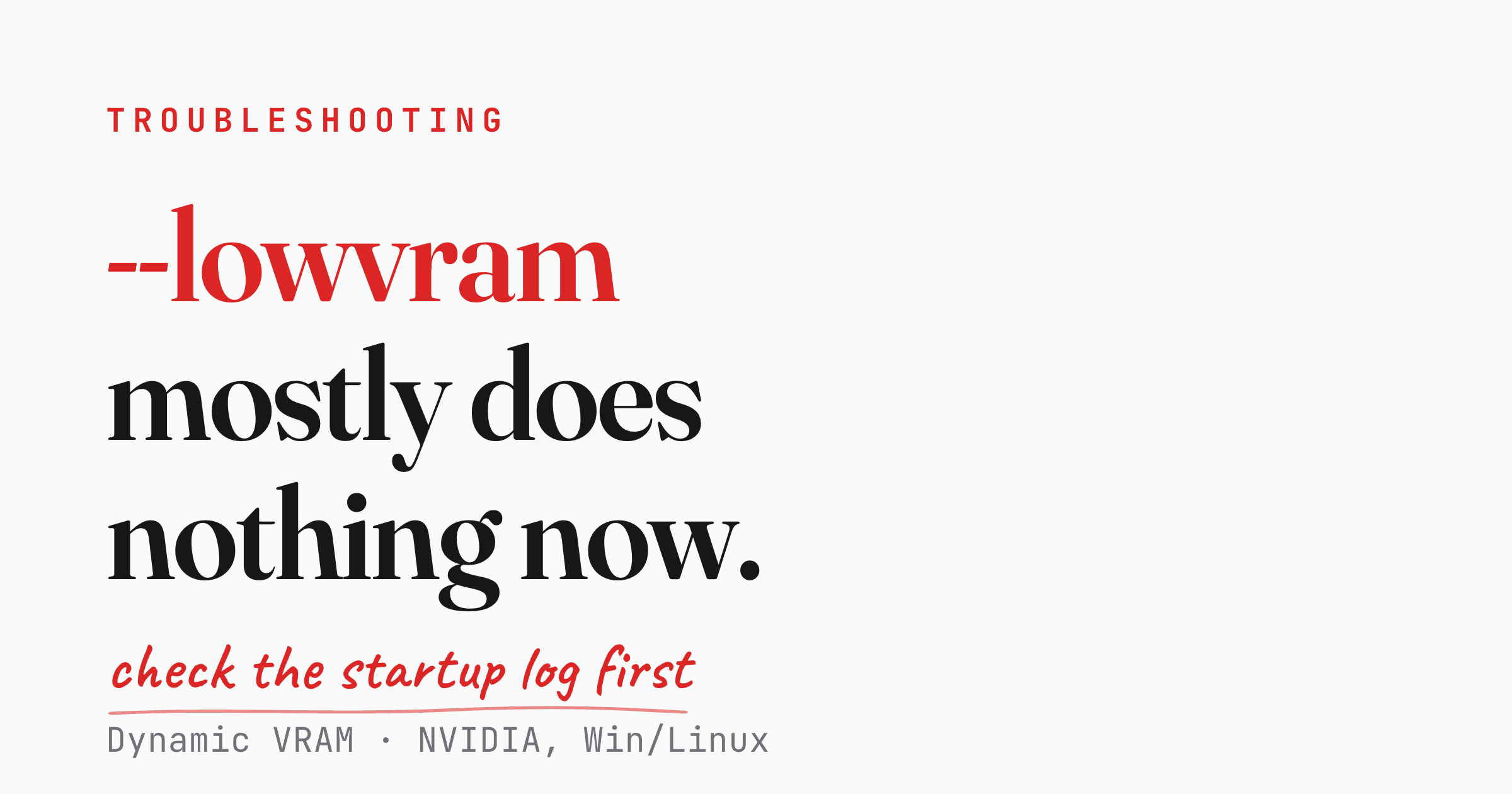
One thing changed in 2026 that breaks a lot of old advice: ComfyUI now ships Dynamic VRAM on by default, which means the most-Googled OOM fix — --lowvram — is mostly a no-op when Dynamic VRAM is actually running. Whether it is on your machine depends on four conditions, and two of them are easy to miss. More on that below.
The 60-second diagnostic
Before changing anything, run these:
nvidia-smi
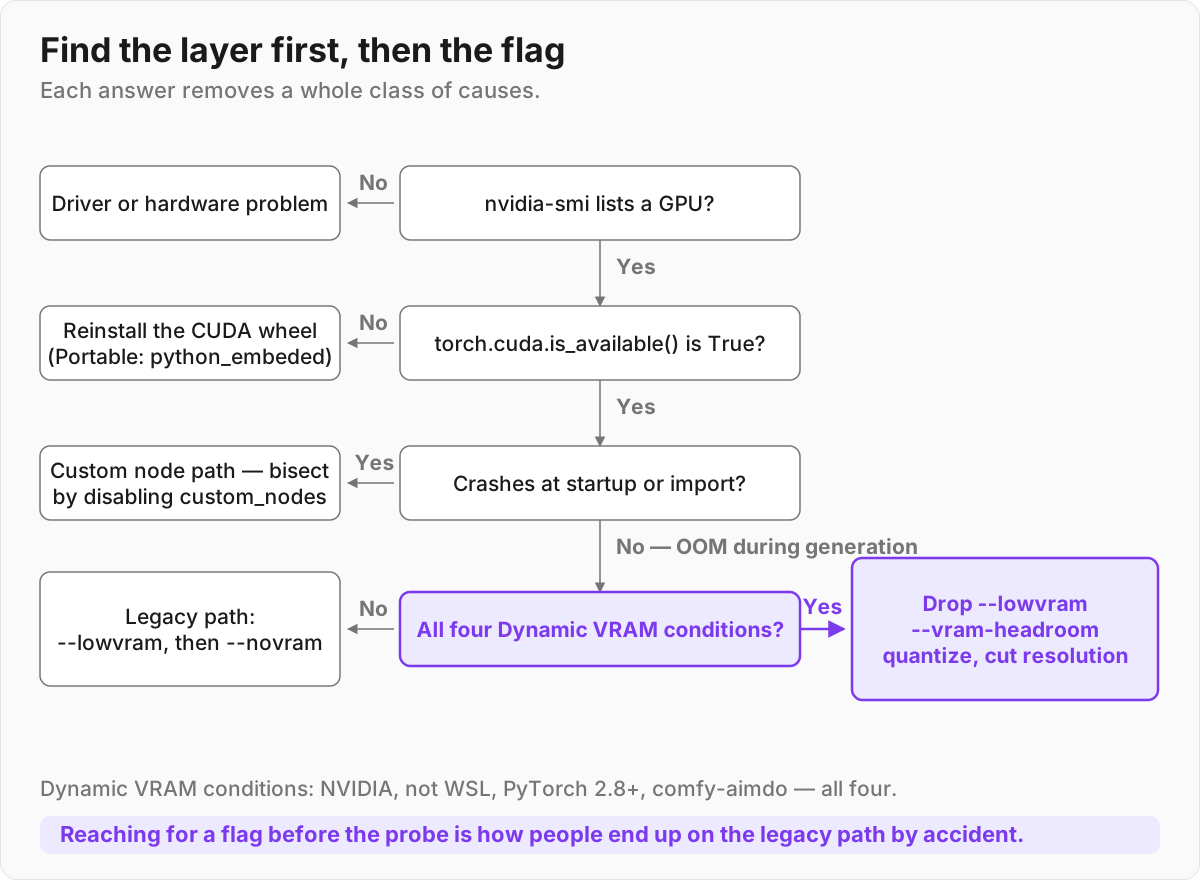
If this doesn't list your GPU, the problem is your driver or hardware, not ComfyUI. Update your NVIDIA driver first. Then check that ComfyUI can actually see CUDA:
python -c "import torch; print('CUDA available:', torch.cuda.is_available()); print('CUDA version:', torch.version.cuda)"
If that prints True, your install is healthy and any crash is a memory or workflow issue. If it prints False, you have the most common install problem in ComfyUI, and the next section fixes it.
Also worth 10 seconds: ComfyUI's Show report button (in the UI when something fails) dumps the exact failing import, and closing other GPU apps — browsers with hardware acceleration, games, other model servers — frees VRAM you didn't know was gone.
Installation errors
"Torch not compiled with CUDA enabled"
This is the number-one install error. It usually shows up after running update_comfyui_and_python_dependencies.bat, or any time pip quietly pulled a CPU-only build of torch. The CPU build imports fine — it just can't see your GPU, so generation either fails or crawls.
Uninstall torch and reinstall the CUDA build:
pip uninstall -y torch torchvision torchaudio
pip install torch torchvision torchaudio --index-url https://download.pytorch.org/whl/cu130
Two details matter here. Uninstall all three packages, not just torch — a leftover CPU-only torchvision or torchaudio will drag the CPU wheel back in. And use --index-url, not --extra-index-url: the latter keeps PyPI in the candidate pool, which is exactly the path by which pip resolves back to the CPU-only build you are trying to get rid of.
The cu130 here is illustrative. Match it to your own driver — check the PyTorch install page for the current wheel that fits your CUDA version. If you need a bleeding-edge build:
pip install --pre torch torchvision torchaudio --index-url https://download.pytorch.org/whl/nightly/cu132
Verify it took:
python -c "import torch; print(torch.cuda.is_available())"
That must print True.
If you run the Windows Portable build, this is the step people get wrong. Portable ships its own embedded Python, so system pip installs into the wrong interpreter and nothing changes. Run pip against the embedded Python instead:
.\python_embeded\python.exe -m pip uninstall -y torch torchvision torchaudio
.\python_embeded\python.exe -m pip install torch torchvision torchaudio --index-url https://download.pytorch.org/whl/cu130
CUDA detected as CPU
If torch.cuda.is_available() is False but nvidia-smi clearly shows your card, you have a torch build that doesn't match your machine's CUDA. There's no clever flag for this — reinstall the matching wheels as above. This is the same root cause as the torch error, just a quieter symptom.
"Import failed" / missing custom nodes
ComfyUI's own docs are blunt about this: most reported issues are custom-node related. "Import failed" means a node pack loaded but couldn't register — almost always a Python dependency conflict, a torch/CUDA mismatch, or a half-installed node.
The workflow that fixes most of these:
- Open ComfyUI-Manager → Install Missing Custom Nodes for anything red in your workflow.
- For an import that fails, reinstall that node's
requirements.txt. - Read the startup log — it names the exact import that died, which is usually a single missing or conflicting package.
Attention backend conflicts
If you're chasing mysterious GPU errors that only surface during generation, the attention backend is worth a try before anything more invasive. ComfyUI's troubleshooting docs point at two flags for this:
--use-pytorch-cross-attention
--use-flash-attention
The first is the safe baseline: PyTorch 2.0+ has native scaled-dot-product attention, so this path leans on what's already in your torch build rather than on a separately compiled attention library that has to match your exact torch and CUDA versions.
Missing models
Less of an error, more of a misplacement. A workflow referencing a checkpoint you don't have will fail to run. Drop checkpoints in models/checkpoints, LoRAs in models/loras, VAEs in models/vae, then hit refresh. ComfyUI-Manager can also fetch known models for a workflow directly.
Out-of-memory errors
What changed in 2026: Dynamic VRAM
This is the part most guides haven't caught up to. The default flipped in the git build first and was announced as stable on 2026-03-01 — so from early March 2026 onward, ComfyUI enables Dynamic VRAM by default. When VRAM gets tight, instead of crashing, ComfyUI allocates a temporary GPU tensor, copies just the layer's weights it needs right now, runs that layer, then frees and reuses the space.
It massively cuts system-RAM usage, and the ComfyUI team says OOM crashes caused by insufficient weight offloading "should be fully resolved."
Before you change any flags, find out whether it's actually running on your machine — because it often isn't. The catch every guide does mention: Dynamic VRAM is NVIDIA-only, Windows and Linux only (no WSL planned). If you're on AMD or Apple Silicon, none of this applies to you and the old flags below still matter.
Two more conditions are easy to miss: Dynamic VRAM needs PyTorch 2.8 or later, and it needs a working comfy-aimdo install. If either is missing ComfyUI logs a warning and silently falls back to the legacy model patcher — and on that path --lowvram still does exactly what it always did.
Check your startup log for "DynamicVRAM support detected and enabled" before you drop the flag.
So it's five conditions, not two:
- An NVIDIA GPU
- Windows or Linux, not WSL
- PyTorch 2.8 or later
- CUDA 12.8 or later
- A working
comfy-aimdoinstall
When all four line up, you normally don't need to do anything — it's on. If you want to force it:
--enable-dynamic-vram
And if your OOM or slowdown started after upgrading — a common report in the rollout thread — the escape hatch is --disable-dynamic-vram, which reverts to estimate-based model loading.
The VRAM flags, and which still matter
Here's the honest state of the command-line flags from comfy/cli_args.py, paraphrasing, with help text where it matters:
| Flag | What it does in 2026 |
|---|---|
--lowvram |
Mostly a no-op — but only where Dynamic VRAM is actually active. Help text: "Doesn't do anything if dynamic vram is enabled." On the legacy fallback path it still pushes text encoders to the CPU, exactly as before. |
--novram |
"When lowvram isn't enough." Still the lever for genuinely tiny VRAM. Turns Dynamic VRAM off. |
--disable-dynamic-vram |
Reverts to estimate-based model loading. The escape hatch when a problem appeared after upgrading. |
--vram-headroom <GB> |
Help text: "Set the amount of vram in GB for DynamicVRAM to maintain as extra headroom above default. ComfyUI will try and keep this much VRAM completely free and unused, even counting VRAM from other apps." |
--reserve-vram <GB> |
Reserve VRAM for your OS/other apps. --reserve-vram 2 is a sane default. |
--highvram |
Keeps models in GPU memory instead of unloading after use. Turns Dynamic VRAM off. |
--gpu-only |
Store and run everything, including text encoders, on the GPU. Turns Dynamic VRAM off. |
--disable-smart-memory |
Forces aggressive offload to regular RAM. |
--cache-none |
Lower RAM/VRAM use; re-executes every node each run. |
--reserve-vram N |
Reserves N GB for your OS and other apps. Not one of the five — it tunes the default rather than replacing it. |
--vram-headroom N |
Keeps N GB completely free on top of the default, counting VRAM used by other apps. Works with Dynamic VRAM rather than against it. |
--cpu |
Everything on CPU. Slow, but it runs. Turns Dynamic VRAM off. |
The first five are mutually exclusive — argparse rejects any two together. The last two are different in kind: --reserve-vram and --vram-headroom take a number in GB and leave Dynamic VRAM switched on, so reach for them when you need breathing room rather than a different loader. More importantly, --novram, --highvram, --gpu-only and --cpu each turn Dynamic VRAM off. If you reach for one, you are opting back into the old estimate-based loader.
The headline, stated carefully: if you've been adding --lowvram to fix OOM on an NVIDIA Windows/Linux box and your startup log confirms Dynamic VRAM is enabled, the flag is doing nothing — drop it and let the default handle offloading. If instead your log shows the fallback warning, --lowvram is still working for you and removing it is a downgrade.
Check the log before you touch the flag.
One flag to never use: --normalvram. It was removed from the code in May 2026 and no longer exists — it is absent from cli_args.py today. Passing it — which old shortcuts, launchers, and Comfy Desktop config files sometimes still do — crashes startup with unrecognized arguments: --normalvram. If Desktop won't start, check the shortcut Target field and your Desktop server-args config and delete that flag. For most people the right answer is no VRAM flag at all.
Model-by-model VRAM reality check
Whether you'll OOM at all depends on the model. Here are the figures that recur in user reports:
| Model | Practical VRAM |
|---|---|
| SD 1.5 | ~6 GB workable |
| SDXL | 8 GB comfortable, 12 GB unlocks it fully |
| FLUX.1 [dev] (fp8) | 12 GB+ |
| Stable Diffusion 3.5 Large | 12 GB fp8, 16 GB+ in bf16 |
| GGUF quantized (community) | ~6 GB |
Treat this as a rough starting point, not a specification. There's no authoritative source behind these numbers — they're anecdotal, they move with your resolution, batch size and node graph, and the ComfyUI system-requirements page deliberately doesn't publish hard VRAM figures.
Levers beyond flags
When you're still tight, in rough order of impact:
- Quantize the model. fp8 or GGUF checkpoints cut VRAM hard — GGUF versions of FLUX run from around 6 GB.
- Drop resolution and batch size. The fastest way to stop an OOM is to generate fewer or smaller pixels.
- Enable tiled VAE decode for large images — the VAE step is a common OOM spot at high resolution.
- Keep headroom for everything else with
--vram-headroom 2. This is the direct answer to the close-your-browser-first problem: it explicitly counts VRAM used by other apps and keeps that much completely free. (--reserve-vram 2is the older, coarser version of the same idea.)
For AMD and Apple users — and for anyone whose startup log shows the legacy fallback rather than Dynamic VRAM — --lowvram is still the classic FLUX/SD3.5 starting point, and --novram makes FLUX possible on 6–8 GB cards, at a real cost in generation speed.
Pick the right install method
A lot of pain is avoidable by choosing the right installer up front:
| Method | Best for | Notes |
|---|---|---|
| Comfy Desktop | Most people | Official packaged app for Windows & macOS, bundles dependencies, manages models and multiple instances |
| Windows Portable | Windows users who want zero Python setup | Ships its own embedded Python — remember to pip against python_embeded\python.exe |
| comfy-cli | Terminal-first / servers | pip package to install, update, and run from the command line |
| Manual git clone | Developers, full control | You manage Python and torch yourself — most flexible, most ways to break it |
| Pinokio | One-click community install | Convenient, less transparent when something breaks |
Official support covers Windows, Linux, and macOS (Apple Silicon). Python 3.13 is recommended, 3.12 is a fine fallback, and 3.14 works but can break some custom nodes. Chrome 143+ is the recommended browser.
Closing checklist
nvidia-smilists your GPU, andtorch.cuda.is_available()printsTrue.- No CPU-only torch — all three packages reinstalled from
--index-urlwith the CUDA wheel matching your driver. - Missing/failed nodes resolved via ComfyUI-Manager; startup log read for the failing import.
- Attention backend switched with
--use-pytorch-cross-attentionif generation-time GPU errors persist. --normalvrampurged from every shortcut and config.- Startup log checked for "DynamicVRAM support detected and enabled" — drop
--lowvramonly if it's there, keep it if you're on the legacy fallback. --vram-headroom 2set if other apps are competing for the card; model matched to your actual VRAM.
References
- Dynamic VRAM now enabled by default — Comfy-Org Discussion #12699
- Dynamic VRAM in ComfyUI — blog.comfy.org
- ComfyUI troubleshooting overview — docs.comfy.org
- System requirements — docs.comfy.org
- comfy/cli_args.py — ComfyUI source
- Fixing the --normalvram crash — popularai.org
- comfy-aimdo on PyPI — the requirements above (NVIDIA only, PyTorch 2.8+, CUDA 12.8+, Windows 11+/Linux) come from here
- PyTorch install selector