If you're choosing a local LLM runtime in 2026, the usual framing — "Ollama vs vLLM vs LM Studio, which one wins?" — sets you up to pick wrong. These three tools don't compete for the same job. They sit on different layers of the stack, and the question that actually matters is how many requests hit your model at once.
Here's the short version: Ollama and LM Studio are experience layers built for one person at a desk. vLLM is a serving engine built for many requests at once. Pick by concurrency, not by GitHub stars.
The 30-second decision table
| Ollama | vLLM | LM Studio | |
|---|---|---|---|
| Latest version | v0.34.4 (Sep 23, 2026); v0.40.0-rc0 in pre-release | 0.30.0 (Sep 22, 2026) | 0.4.25 |
| License | MIT (open source) | Apache-2.0 (open source) | App proprietary; CLI lms + SDKs MIT |
| Cost | Free | Free | Free for personal and work use; paid Teams/Enterprise |
| Primary interface | CLI + local daemon/API; desktop app on macOS and Windows | Python lib + OpenAI-compatible server | Desktop GUI (+ headless daemon, CLI, SDKs) |
| Engine | llama.cpp for GGUF models; MLX for MLX models (default for supported models from v0.40) | Custom CUDA/ROCm kernels (PagedAttention); Apple Silicon via the vllm-metal plugin |
llama.cpp + Apple MLX |
| OpenAI-compatible API | Yes | Yes | Yes |
| Best-fit workload | Single-user local dev | Multi-user / production GPU serving | GUI exploration, model browsing, desktop chat |
If you already know your answer from that table, you're done. The rest explains why the split falls where it does — and where each tool will bite you.
The dividing line is concurrency
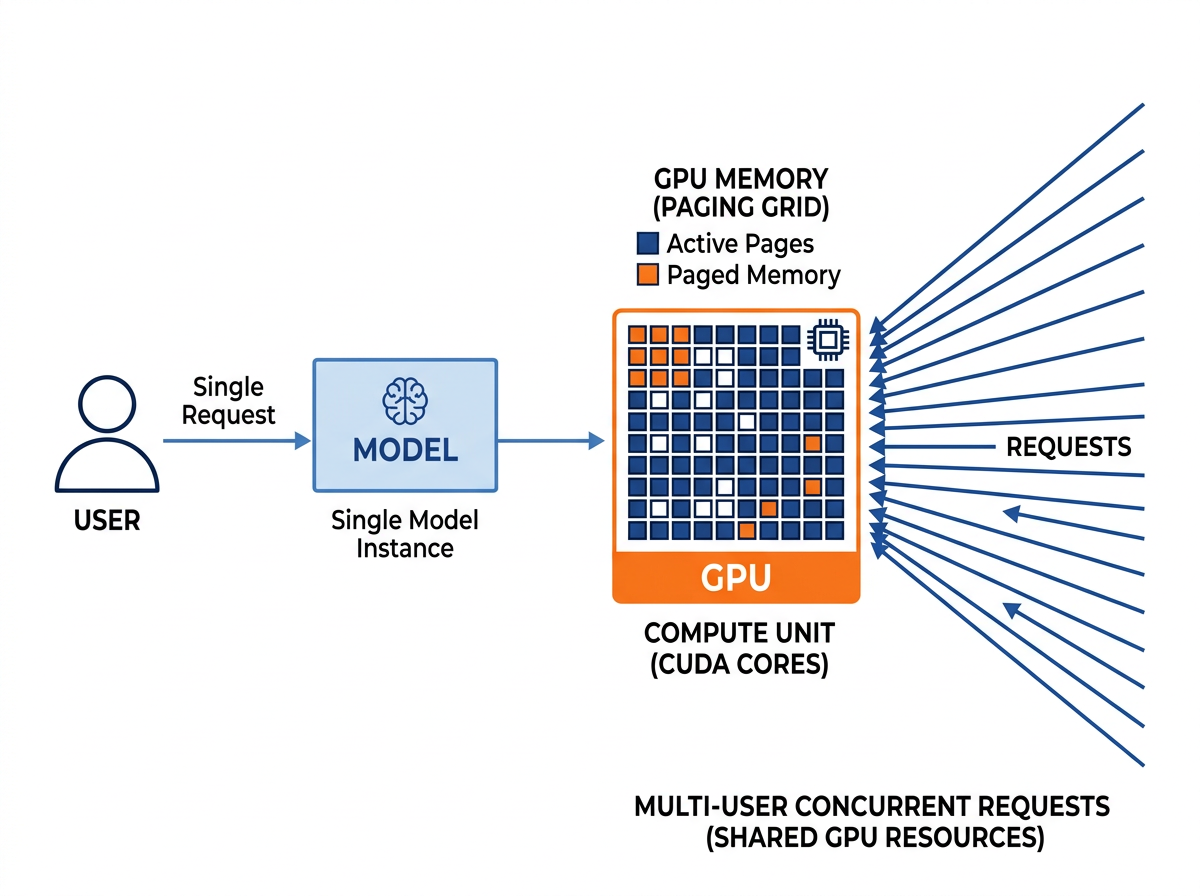
A single request to a 7B or 14B model is an easy problem. Almost any runtime handles it well. The problem gets hard when ten, fifty, or five hundred requests arrive at the same time and have to share one GPU's memory without queueing behind each other.
That's the fault line. Ollama and LM Studio optimize the path from "I have a model file" to "I'm talking to it" for one user. vLLM optimizes the path from "many users are hitting this endpoint" to "none of them are waiting." Everything else — CLI vs GUI, open vs closed source, which quantization formats are supported — is secondary to that.
Ollama: one command, one user
Ollama is the Docker-of-models tool. You ollama pull <model> and ollama run <model>, and a local daemon exposes an OpenAI-compatible API on top. There is also a desktop app for macOS and Windows now, so it is no longer CLI-only.
On Apple Silicon, which engine runs your model depends on both the version and the model. MLX support arrived as a preview in v0.19 (March 2026), but through the current stable line it applies only to MLX-format models; ordinary GGUF models still run on llama.cpp with Metal. I checked on my own M5: the server log for Ollama 0.33.3 has 3,771 lines mentioning the Metal backend and not a single mention of MLX. That is about to change. The v0.40 release candidate's notes say models "run on MLX on Apple Silicon by default" wherever the MLX runtime supports the architecture. If Mac performance is why you're here, check which version you're on.
The 2026 direction is integration. The ollama launch command wires models straight into coding agents and desktop tools — ollama launch hermes-desktop spins up a desktop chat front end, and recent releases added coding-agent hooks.
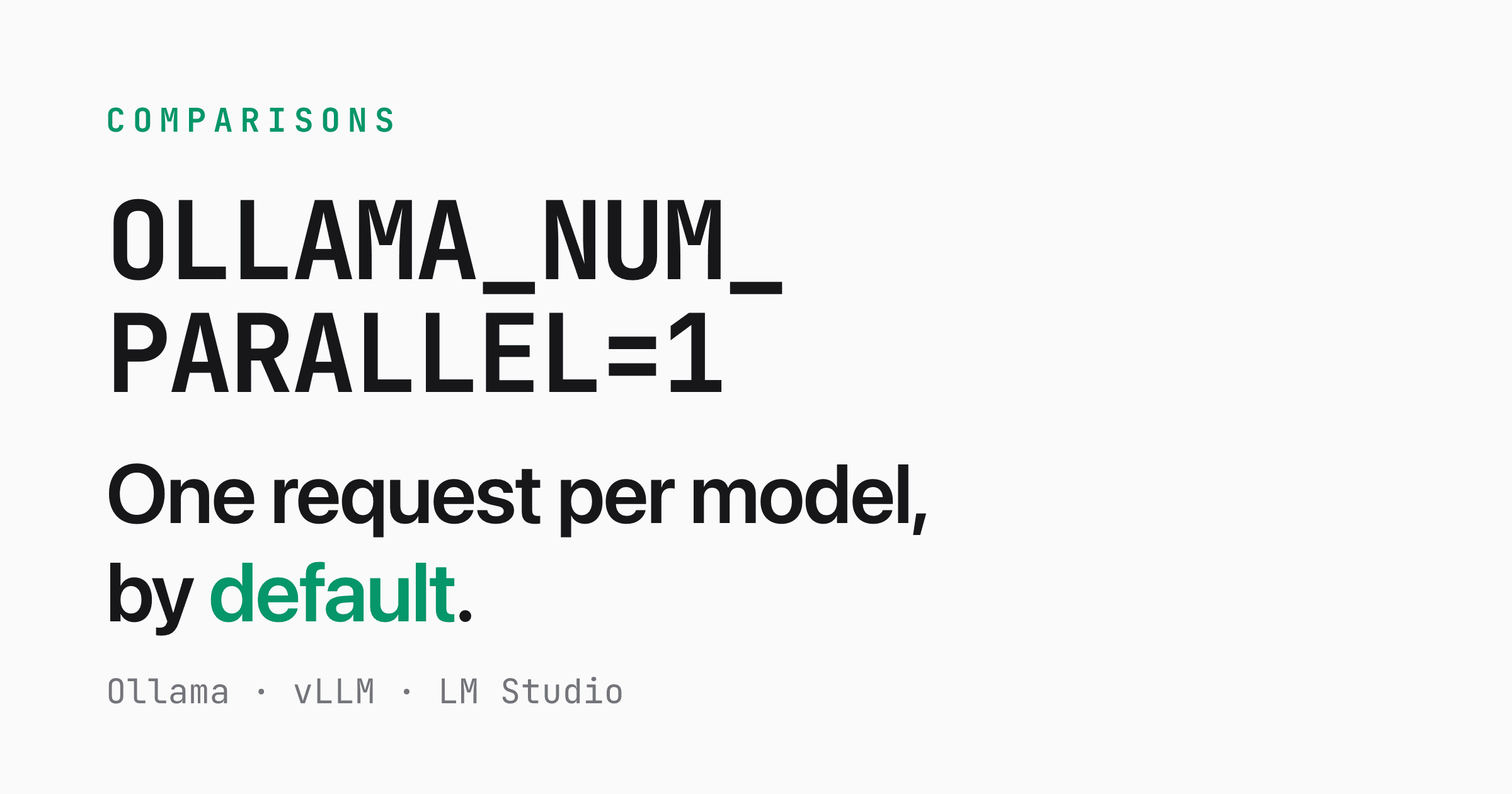
The thing to be honest about: Ollama processes one request per model at a time by default. The setting is OLLAMA_NUM_PARALLEL, and my own server's startup config reports it as 1. You can raise it, but memory then scales with parallel slots times context length. It's tuned for one developer, not for serving a crowd. That single fact is the most common reason teams outgrow it and move to vLLM. For prototyping, scripting, and local agent work, that limitation never shows up. Put it behind a web app with real traffic and it will.
LM Studio: the GUI and the model browser
LM Studio is the tool you hand to someone who doesn't live in a terminal. It's a desktop app for Windows, macOS, and Linux, and its standout feature is the in-app model browser: search Hugging Face from inside the app, get quantization recommendations sized to your actual RAM and GPU, and click download. No guessing whether a Q4 will fit.
It runs on llama.cpp plus Apple MLX and ships an OpenAI-compatible local API along with JS and Python SDKs. Version 0.4.25 adds a third Mac engine, Splash, for M3-or-newer Apple Silicon on macOS 26.4 or later; the release notes give its requirements but don't say what it does differently, so I won't guess.
It's no longer GUI-only, either. The 0.4 line added a headless daemon for server and CI use, and 0.4.16 shipped a companion iPhone/iPad app and dropped the LM Link waitlist. In July the company also launched Bionic, a separate agent app built on the same runtime; LM Studio itself continues alongside it.
The licensing detail people get wrong: the desktop app is closed-source and proprietary, but it has been free for both personal and commercial use since July 8, 2025 — no form, no separate license to buy. Paid Teams and Enterprise plans exist for SSO, model and MCP gating, and private collaboration. The lms CLI and the SDKs are open-source MIT.
So "proprietary" doesn't mean "costs money at work"; it means you don't get the app's source.
vLLM: the engine for when traffic shows up
vLLM is a different animal. It came out of UC Berkeley as a high-throughput, memory-efficient inference and serving engine, and its whole reason to exist is concurrency. Two techniques do the heavy lifting:
- PagedAttention manages the KV cache the way an operating system manages virtual memory — in pages — instead of holding one contiguous block per request. That cuts the memory fragmentation that otherwise wastes GPU RAM and caps how many requests you can run at once.
- Continuous batching lets a new request join the running batch the moment a slot frees, rather than waiting for a fixed batch to finish. No request sits in line behind a long one that hasn't returned yet.
Together those are why vLLM pulls ahead under load: many simultaneous requests share GPU memory efficiently and don't block each other. It supports NVIDIA, AMD and Intel GPUs, CPUs, and accelerator plugins (TPU, Gaudi and others), runs on Python 3.10–3.14, and exposes an OpenAI-compatible server.
It also runs on a Mac now, which it effectively didn't a few months ago. vllm-metal, a plugin in the vLLM project's own organization, runs vLLM on Apple Silicon using MLX as its compute backend, and it tracks vLLM's releases (0.30.0 at the time of writing). Core vLLM also has experimental CPU support on macOS.
The tradeoff is setup. vLLM is a library and a server, not a friendly app. You need a working Python environment and, for real throughput, a GPU with drivers or the Metal plugin. For a single local user it's overkill — for one request at a time, the simpler tools will match or beat it on latency while saving you the operational weight.
You reach for vLLM when concurrency is the problem, not before.
Head to head on the axes that matter
| Axis | Ollama | LM Studio | vLLM |
|---|---|---|---|
| Setup friction | Low | Lowest (GUI installer) | High (GPU, drivers, Python) |
| Single-user latency | Good | Good | Good, but overkill |
| Concurrent throughput | Weak (1 request per model by default) | Weak | Strong |
| Hardware floor | Laptop | Laptop | GPU box, or an Apple Silicon Mac via vllm-metal |
| Interface | CLI + API + desktop app | GUI + daemon + API | Server + Python lib |
| Source | Open (MIT) | App closed; CLI/SDK open | Open (Apache-2.0) |
| API compatibility | OpenAI-compatible | OpenAI-compatible | OpenAI-compatible |
Which one to pick
- One developer prototyping on a laptop → Ollama. One command, scriptable, gets out of your way.
- Non-CLI user, or you want to browse and try models visually → LM Studio. The model browser alone earns its place.
- Serving many concurrent users on a production GPU box → vLLM. Nothing else here is built for that load.
And you don't have to commit forever. All three speak OpenAI-compatible APIs, so the common setup is Ollama or LM Studio in development and vLLM in production — same client code, swap the base URL. That throughline is the practical reason the "which one" question is less binding than it looks.
The 2026 trend is convergence: Ollama is moving to MLX by default on Macs and adding agent launchers, LM Studio grew a headless daemon, a mobile app and a sibling agent app, and vLLM now runs on Apple Silicon. The edges blur. But the core split — single-user developer experience versus concurrent throughput — still decides the call. Count your concurrent requests first; the runtime follows from that number.
References
- Ollama releases: https://github.com/ollama/ollama/releases
- vLLM on PyPI: https://pypi.org/project/vllm/ and repo: https://github.com/vllm-project/vllm
- vLLM docs: https://docs.vllm.ai/en/stable/
- Ollama v0.40.0-rc0 (MLX by default on Apple Silicon): https://github.com/ollama/ollama/releases/tag/v0.40.0-rc0
- vLLM Metal plugin: https://github.com/vllm-project/vllm-metal
- LM Studio changelog 0.4.25: https://lmstudio.ai/changelog/lmstudio-v0.4.25 and 0.4.16: https://lmstudio.ai/changelog/lmstudio-v0.4.16
- LM Studio Bionic: https://lmstudio.ai/blog/introducing-lm-studio-bionic
- LM Studio "free for work" announcement: https://lmstudio.ai/blog/free-for-work
- LM Studio
lmsCLI license: https://github.com/lmstudio-ai/lms/blob/main/LICENSE - Local check: Apple M5 MacBook Pro, macOS 26.6.2, Ollama 0.33.3 server log, 2026-09-28