On June 1, 2026, GitHub Copilot quietly rewrote the math behind its subscription. The old "premium request units" are gone, replaced by GitHub AI Credits and usage-based, token-metered billing across every plan. The headline prices didn't move — Pro is still $10 — but what that $10 buys changed enough that any review written before this summer is now wrong on the details.
So the question every working dev is asking again: is paying for Copilot still worth it in 2026, or have the free tools finally caught up? Short answer — it depends entirely on how you code. Here's the breakdown, with current prices.
The 2026 comparison at a glance
| Tool | Free option (2026) | Paid entry | Model approach | Best at |
|---|---|---|---|---|
| GitHub Copilot | Yes — 2,000 completions + 50 chats/mo | Pro $10/mo (incl. $15 credits) | Hosted, full model picker | Unlimited completions in the GitHub/VS Code stack |
| Continue.dev | Yes — open source, $0 forever | $0 (you pay model API) | BYOK | Configurable chat + autocomplete, VS Code & JetBrains |
| Cline | Yes — open source, $0 | $0 (pay provider, no markup) | BYOK (Anthropic/OpenAI/Gemini/DeepSeek/Ollama) | Autonomous multi-file agent work |
| Aider | Yes — open source, $0 | $0 (pay model API) | BYOK | Terminal pair-programming, git commit per change |
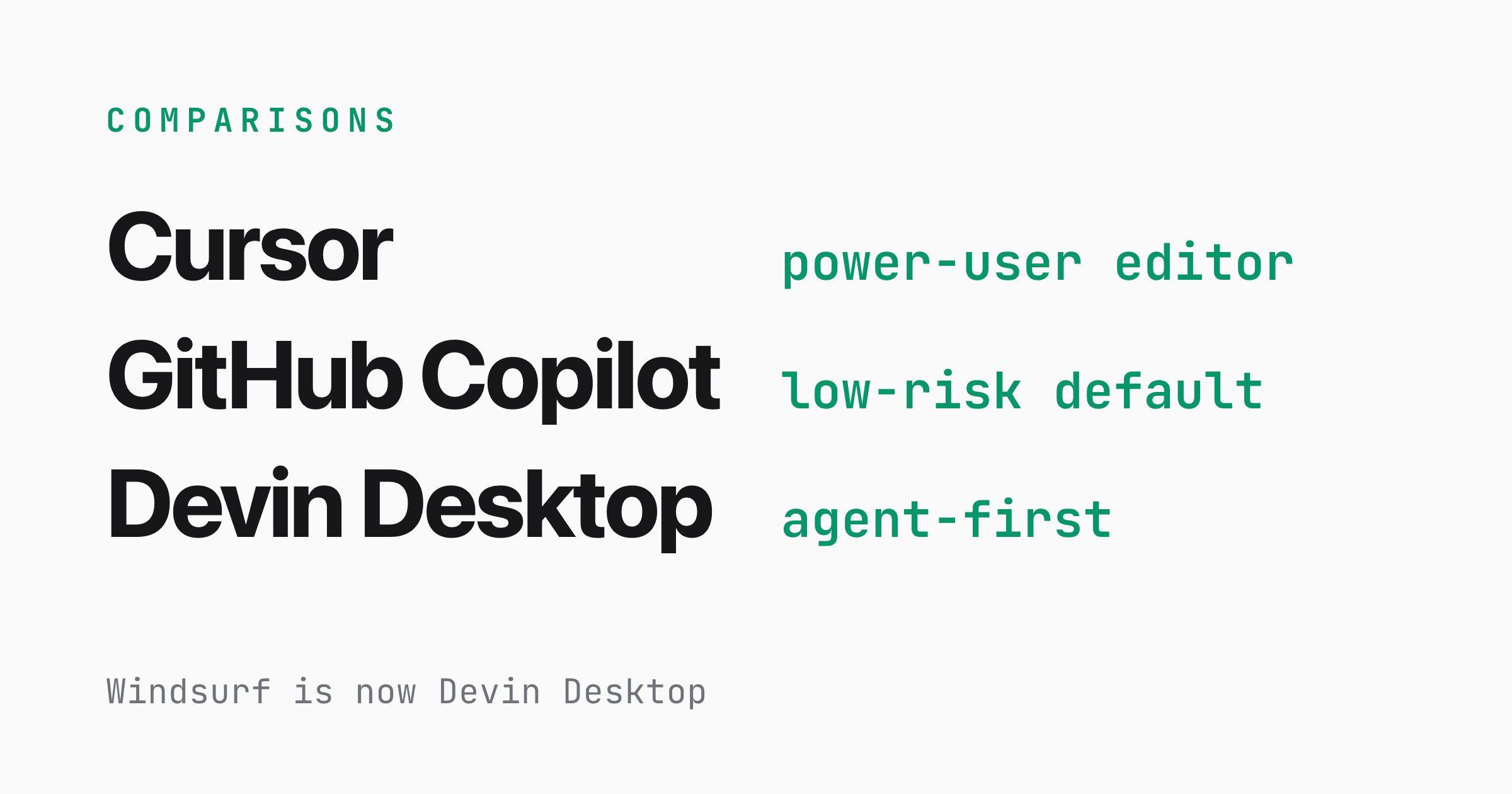
| Windsurf | Yes — unlimited Tab + 5 Cascade sessions/day | Pro $20/mo | Hosted, quota-based | Agentic "Cascade" multi-file editing |
| Cursor | Hobby free, limited Tab + Agent | Pro $20/mo | Hosted + BYOK | Deepest agent/Composer IDE |
| Tabnine | No real free tier anymore | $39/user/mo (enterprise-focused; the old $12 Dev plan was discontinued) | Hosted / self-host | Privacy, on-prem, enterprise control |
| Gemini Code Assist | Discontinued for individuals (June 18, 2026) | — | — | Avoid — dead for solo devs, see below |
What Copilot actually gives you for free
The free tier is real, not a trial: 2,000 code completions and 50 chat requests per month, no credit card. The 50 chats include Copilot Edits, so that pool drains faster than it looks once you start asking for multi-file changes.
Model access on free is the lighter end of the lineup — think GPT-5 mini and Claude Haiku 4.5 class, with heavier models reserved for paid. (The exact in-product model list shifts month to month, so check it when you sign up.)
Who does this cover? A student, a weekend tinkerer, someone who writes code a few hours a week. If that's you, the free tier is genuinely enough. A full-time engineer will blow through 50 chats in a couple of busy afternoons.
One catch worth knowing: if your employer assigns you a Business or Enterprise seat, you're not eligible for the Free plan.
What "worth it" means after the billing change
This is the part the old reviews get wrong. Paid Copilot is now metered on token consumption — input, output, and cached tokens — at each model's listed API rate, drawn down from a monthly credit allowance.
The numbers that actually matter:
| Plan | Price/mo | Included AI Credits/mo | Notes |
|---|---|---|---|
| Free | $0 | Limited | 2,000 completions + 50 chats |
| Pro | $10 | $15 | Unlimited completions, full model picker |
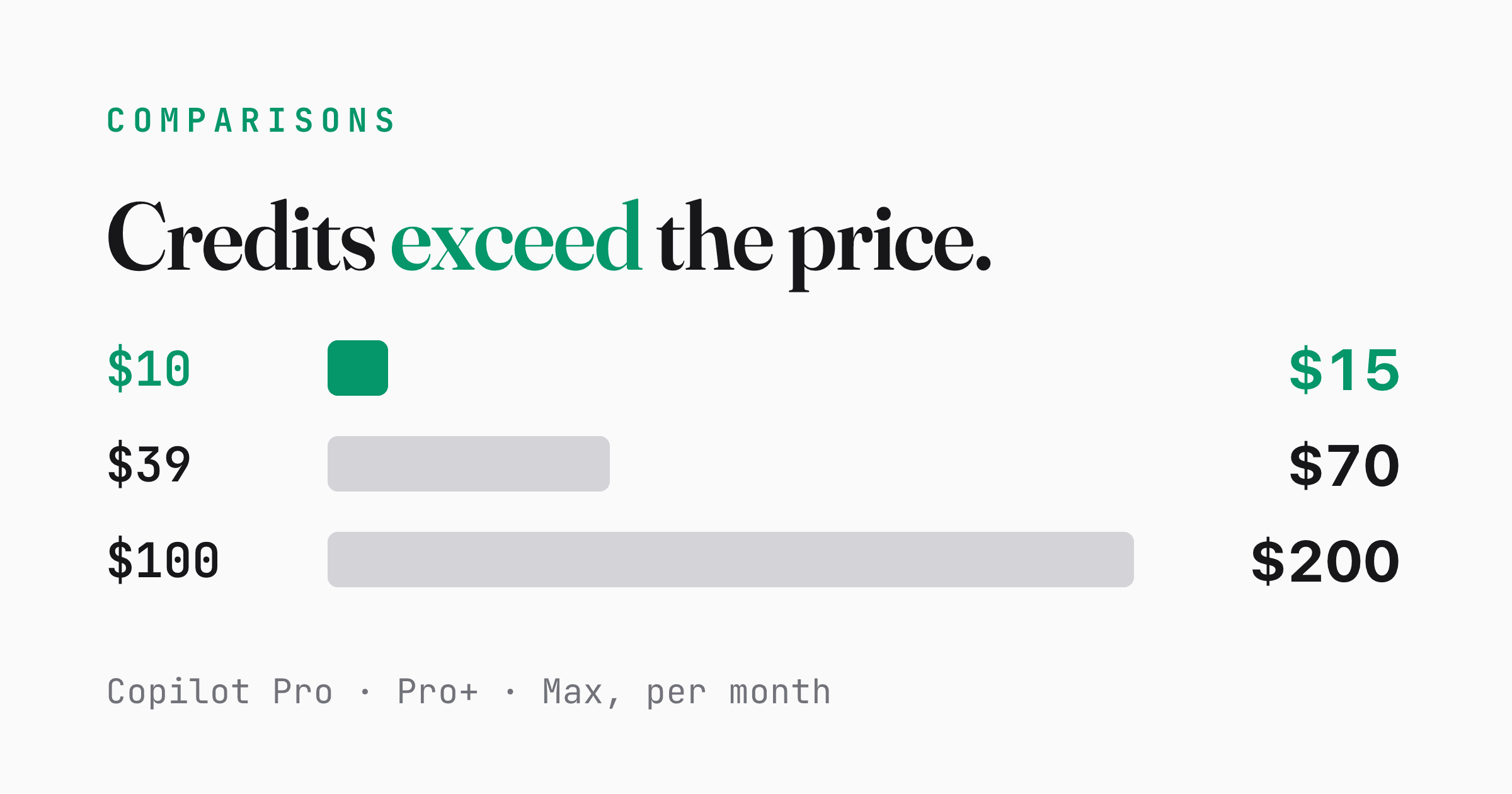
| Pro+ | $39 | $70 | Larger individual credit pool |
| Max | $100 | $200 | New top individual tier |
| Business | $19 | $19 | Org policy + management |
| Enterprise | $39 | $39 | Knowledge bases, fine-grained admin |
Two things jump out. First, on the individual plans your included credits now exceed the sticker price — $10 gets you $15 of credit, $39 gets you $70.
Second, and this is Copilot's single strongest card in 2026: code completions and next-edit suggestions stay unlimited and are never billed in credits on paid plans. Your day-to-day autocomplete — the thing you use thousands of times a week — costs nothing extra. Credits only burn on chat, agent runs, and premium-model calls.
One note on the org tiers: during the billing transition GitHub is temporarily raising the included credits on Business and Enterprise seats (Business seats getting roughly $30 worth, Enterprise roughly $70 worth) as a promo running until around September 2026, after which they settle back to the standard $19 and $39 allowances shown above.
That reframes "worth it." If you mostly tab through completions, $10 Pro is a flat, predictable bill with credits you'll struggle to exhaust. If you live in agent mode running large multi-file tasks against premium models all day, you can overshoot the included credits and pay overage — and at that point you should compare against BYOK tools where you pay the model provider directly.
The free alternatives, by who you are
You want $0 tooling and control over models → Continue.dev, Cline, Aider.
All three are open source and free forever; you bring your own API key and pay only for the model calls you make (or run a local model through Ollama for literally zero spend). Continue.dev is the polished IDE option for VS Code and JetBrains. Cline shines at autonomous multi-file agent work and passes provider pricing through with no markup.
Aider lives in your terminal and commits to git after each change — great if you like a tight, reviewable loop.
You want a hosted free tier with no key management → Windsurf or Cursor.
Windsurf's free plan gives you unlimited Tab completion plus 5 Cascade (agentic multi-file) sessions a day, which is a surprisingly usable amount for side projects; Pro is $20/mo after a March 2026 price bump from $15. Cursor's Hobby tier offers limited Tab and Agent use, with Pro also at $20/mo.
Do not build your workflow around Gemini Code Assist's free individual tier. Google discontinued Gemini Code Assist for individuals and the Gemini CLI on June 18, 2026 (announced at I/O on May 19, with about a month's notice and no grace period after). The old, very generous free quota is gone for solo developers, who are now pushed toward Google Antigravity and the Antigravity CLI.
Standard and Enterprise licenses are unaffected — but if you're an individual, treat the old Gemini free tier as dead.
And Tabnine is no longer free in any meaningful way; entry is roughly $39/user/mo (enterprise-focused; the old $12 Dev plan was discontinued), with Enterprise higher. It's still a fair pick when on-prem and privacy control are the whole point, but not as a free option.
Copilot Pro $10 vs free BYOK: the real cost
This is the matchup most readers are actually deciding. Copilot Pro is a fixed $10/mo that bundles $15 of credits and unlimited completions — you never think about an API bill.
BYOK tools (Continue.dev, Cline, Aider) cost $0 for the tool itself, but your spend tracks your usage: a few dollars a month for light chat, or well past $10 if you're running big agent jobs against a frontier model. Run a local model via Ollama and the variable cost drops to your electricity bill, at the price of weaker output and your own hardware.
The honest split: Copilot Pro wins on predictability and zero setup. BYOK wins when you want no markup, model choice, offline/local options, or you already pay for an LLM API and don't want to double up.
Verdict — which to pick for whom
- Hobbyist, student, or light coder, or you just want zero spend: Copilot Free or any of the open-source BYOK tools with a local model.
- Full-time dev in the VS Code / GitHub world: Copilot Pro at $10 is the best default. Unlimited completions, predictable cost, no API keys to babysit. For most working developers this is the answer.
- You want model control, no markup, or local/offline: Continue.dev, Cline, or Aider, BYOK.
- You want a deep agentic IDE over plain completions: Windsurf or Cursor, if $20/mo is acceptable.
- A team needs central policy, security controls, org billing: Copilot Business or Enterprise.
- Avoid: assuming Gemini Code Assist's individual free tier still exists, or that Tabnine is still free.
If you're a full-time engineer already living in VS Code, the June billing change didn't break the deal — it slightly sweetened it, because the thing you use most still costs nothing on top of $10. If you barely touch chat or you want total control, the free tools have never been more capable.
FAQ
Is GitHub Copilot still worth $10 a month in 2026?
For a full-time developer in the VS Code/GitHub ecosystem, yes. Code completions stay unlimited and aren't billed in credits, so the $10 Pro plan is a predictable cost for your highest-volume usage, and it now includes $15 of AI Credits for chat and agent work.
What changed with Copilot billing on June 1, 2026?
GitHub replaced premium request units with token-metered "AI Credits." Every paid plan now meters chat, agent, and premium-model usage by token consumption against a monthly credit allowance. Subscription prices stayed the same, but completions remain free and unlimited on paid plans.
What's the best free alternative to Copilot?
For $0 tooling, Continue.dev, Cline, and Aider are open source and free forever — you only pay for model API calls, or run a local model via Ollama for no cost. For a hosted free tier, Windsurf gives unlimited Tab completion plus five agentic Cascade sessions a day.
Can I still use Gemini Code Assist's free tier?
No. Google discontinued Gemini Code Assist for individuals and the Gemini CLI on June 18, 2026, with no grace period. Solo developers are pushed toward Antigravity CLI. Only Standard and Enterprise licenses are unaffected.
References
- GitHub Blog — Copilot is moving to usage-based billing
- GitHub Copilot — Plans & pricing
- GitHub Docs — Models and pricing for Copilot
- Google for Developers — Gemini Code Assist for individuals deprecation
- Google Developers Blog — Transitioning Gemini CLI to Antigravity CLI
- Windsurf — Pricing
- Tabnine — Pricing