If you're following a tutorial written in 2024, stop. n8n shipped its 2.0 release on December 5, 2025 — a hardening release that changed several security defaults, and three months later researchers disclosed unauthenticated remote-code-execution flaws in the self-hosted product.
A guide that still tells you to manually enable task runners, or that skips the encryption-key backup, is going to leave you with a broken or exploitable install.
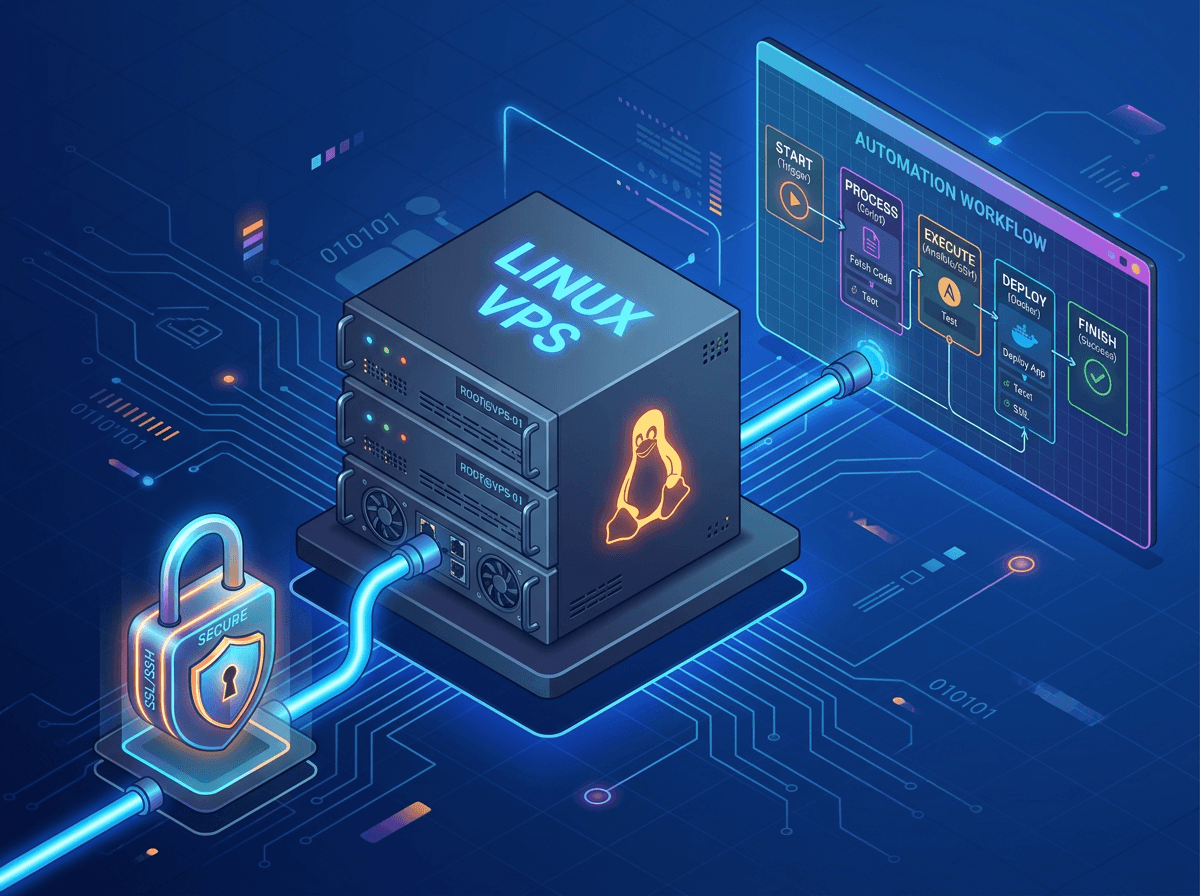
This walks you from a fresh VPS to a production n8n: official Docker Compose, PostgreSQL instead of the default SQLite, external task runners, automatic HTTPS through a reverse proxy, and a backup routine that actually includes the one file you can't afford to lose. Each piece exists to prevent a specific failure, and I'll name the failure as we go.
Before you start
You need a VPS, a domain name with an A record pointing at the server's IP, and enough comfort with a Linux shell to edit files and run sudo. n8n itself is fair-code under the Sustainable Use License: self-host it for your own internal or non-commercial use for free, modify it, even sell consulting around it.
What you can't do without a commercial license is resell it as a multi-tenant SaaS or let external end users trigger your workflows. If you're building for clients, read that license before you architect anything.
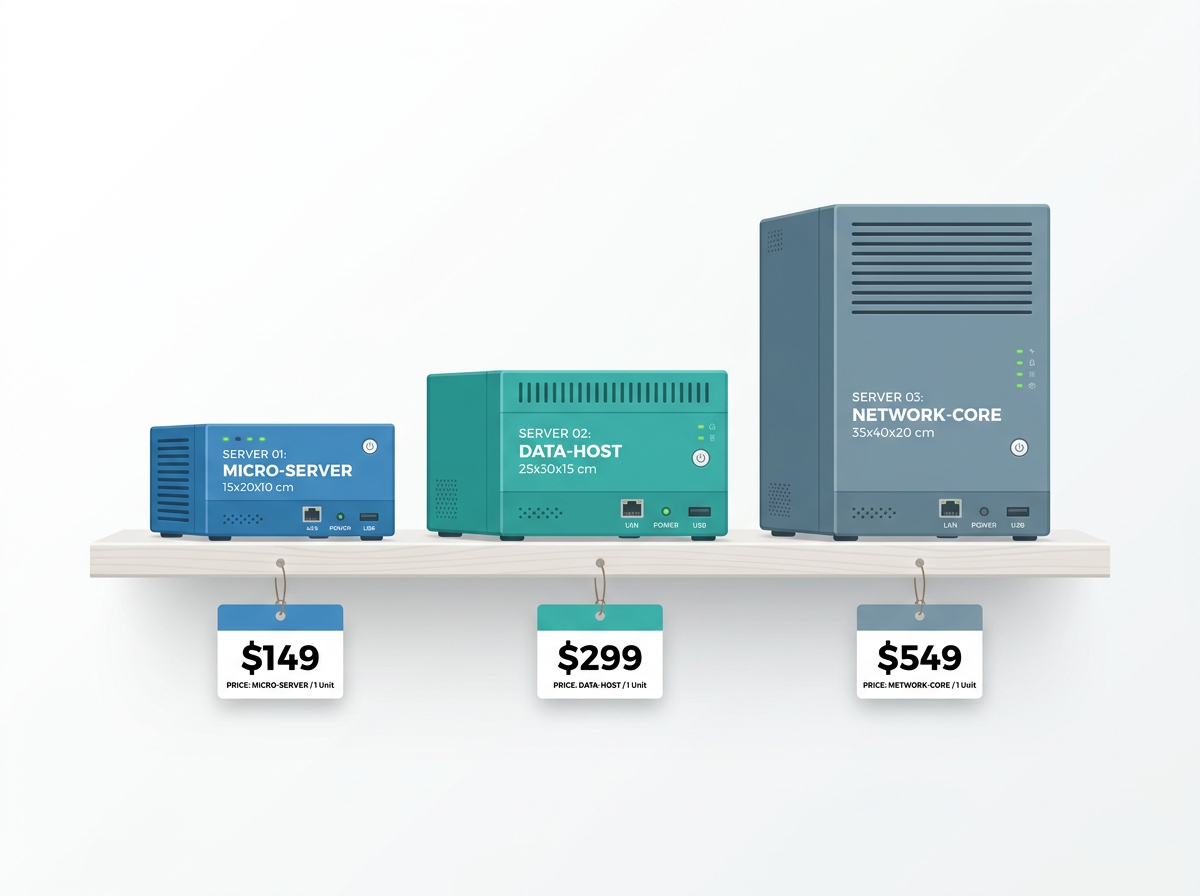
On sizing, n8n is comfortable on modest hardware but execution data fills small disks fast.
| Use case | vCPU | RAM | Disk |
|---|---|---|---|
| Testing only | 1 | 512 MB–1 GB | 20 GB |
| Production floor | 1 | 1 GB | 30 GB |
| ~50 active workflows | 2 | 2–4 GB | 30–50 GB |
For value, Hetzner is hard to beat. A CX22 (2 vCPU, 4 GB RAM, 40 GB NVMe) runs around $4.35–4.59/month as of mid-2026, with 20 TB of included traffic — note Hetzner adjusted cloud prices effective June 15, 2026, so check the live rate. The equivalent DigitalOcean or AWS box costs noticeably more for the same specs.
Step 1 — Provision and secure the VPS
Create the server with a current Ubuntu LTS image. SSH in as root, then immediately stop using root.
adduser deploy
usermod -aG sudo deploy
rsync --archive --chown=deploy:deploy ~/.ssh /home/deploy
Log back in as deploy, then lock the firewall to the only three ports you need — SSH, HTTP, and HTTPS:
sudo ufw allow OpenSSH
sudo ufw allow 80/tcp
sudo ufw allow 443/tcp
sudo ufw enable
Notice port 5678 (n8n's own port) is not open. It never should be from the public internet — all traffic reaches n8n through the reverse proxy. If you want brute-force protection on SSH, install fail2ban; it works out of the box.
Step 2 — Install Docker and Compose V2
Use the official convenience script, then add your user to the docker group so you don't need sudo for every command:
curl -fsSL https://get.docker.com | sh
sudo usermod -aG docker $USER
newgrp docker
docker compose version
That last command must print a v2.x version. Use docker compose (two words) throughout — the hyphenated docker-compose is the deprecated V1 and behaves differently.
Step 3 — The Compose stack
Create a project directory and two files. First the .env, which holds every secret and the host config. Generate a real encryption key — don't let n8n auto-generate one you'll never see:
mkdir ~/n8n && cd ~/n8n
openssl rand -hex 24   # use the output as N8N_ENCRYPTION_KEY
openssl rand -hex 24   # and again for N8N_RUNNERS_AUTH_TOKEN
.env:
DOMAIN=n8n.example.com

POSTGRES_USER=n8n
POSTGRES_PASSWORD=change_this_long_random_string
POSTGRES_DB=n8n

N8N_ENCRYPTION_KEY=paste_first_openssl_value_here
N8N_RUNNERS_AUTH_TOKEN=paste_second_openssl_value_here

N8N_HOST=n8n.example.com
N8N_PROTOCOL=https
WEBHOOK_URL=https://n8n.example.com/
N8N_PROXY_HOPS=1
Three of those variables decide whether webhooks work. Setting N8N_HOST but forgetting WEBHOOK_URL is the single most common production bug — n8n then hands out webhook URLs with the internal :5678 port baked in, and every external callback breaks. N8N_PROXY_HOPS=1 tells n8n there's exactly one proxy in front of it (use 2 if a load balancer sits ahead of the proxy).
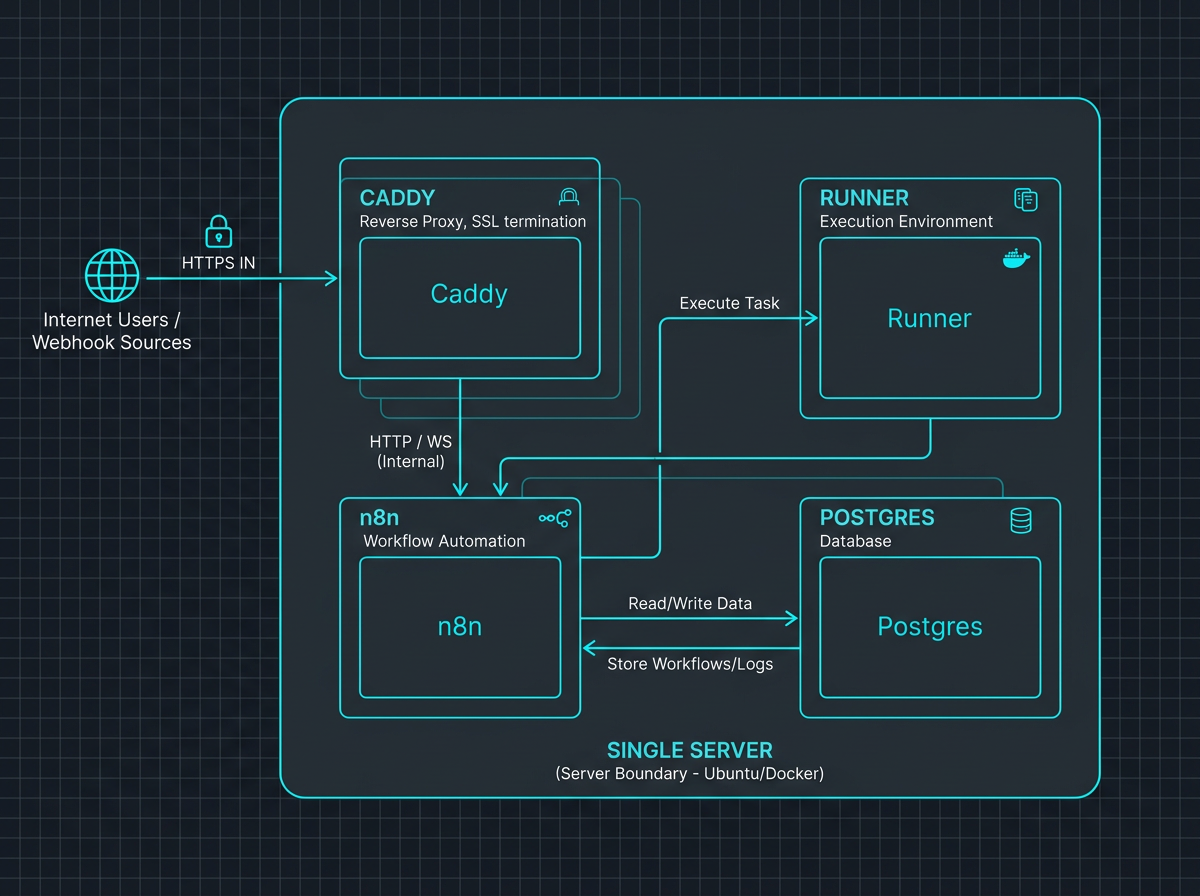
Now docker-compose.yml. This runs four services: Postgres, n8n, an external task runner, and Caddy for TLS.
services:
  postgres:
    image: postgres:16
    restart: unless-stopped
    environment:
      - POSTGRES_USER
      - POSTGRES_PASSWORD
      - POSTGRES_DB
    volumes:
      - pg_data:/var/lib/postgresql/data
    healthcheck:
      test: ['CMD-SHELL', 'pg_isready -U ${POSTGRES_USER} -d ${POSTGRES_DB}']
      interval: 10s
      timeout: 5s
      retries: 5

  n8n:
    image: docker.n8n.io/n8nio/n8n:2.0.5
    restart: unless-stopped
    depends_on:
      postgres:
        condition: service_healthy
    environment:
      - DB_TYPE=postgresdb
      - DB_POSTGRESDB_HOST=postgres
      - DB_POSTGRESDB_DATABASE=${POSTGRES_DB}
      - DB_POSTGRESDB_USER=${POSTGRES_USER}
      - DB_POSTGRESDB_PASSWORD=${POSTGRES_PASSWORD}
      - N8N_HOST=${N8N_HOST}
      - N8N_PROTOCOL=${N8N_PROTOCOL}
      - WEBHOOK_URL=${WEBHOOK_URL}
      - N8N_PROXY_HOPS=${N8N_PROXY_HOPS}
      - N8N_ENCRYPTION_KEY=${N8N_ENCRYPTION_KEY}
      - N8N_RUNNERS_ENABLED=true
      - N8N_RUNNERS_MODE=external
      - N8N_RUNNERS_AUTH_TOKEN=${N8N_RUNNERS_AUTH_TOKEN}
      - N8N_RUNNERS_BROKER_LISTEN_ADDRESS=0.0.0.0
    volumes:
      - n8n_data:/home/node/.n8n

  runner:
    image: docker.n8n.io/n8nio/runners:2.0.5
    restart: unless-stopped
    depends_on:
      - n8n
    environment:
      - N8N_RUNNERS_AUTH_TOKEN=${N8N_RUNNERS_AUTH_TOKEN}
      - N8N_RUNNERS_TASK_BROKER_URI=http://n8n:5679

  caddy:
    image: caddy:2
    restart: unless-stopped
    ports:
      - '80:80'
      - '443:443'
    volumes:
      - ./Caddyfile:/etc/caddy/Caddyfile
      - caddy_data:/data
    depends_on:
      - n8n

volumes:
  pg_data:
  n8n_data:
  caddy_data:
A few deliberate choices. DB_TYPE=postgresdb is what actually switches n8n off SQLite — forget it and you'll see "connection refused" because n8n never tries to reach Postgres.
The runner runs in external mode as a separate container so a sandbox-escape exploit in user code is contained away from the main process; it reaches n8n's task broker on port 5679, and its image tag must match the n8n tag exactly (external runners need n8n ≥ 1.111.0).
I pinned 2.0.5 rather than :latest — n8n releases roughly weekly, and pinning means a redeploy doesn't silently pull a version you haven't tested. Check the release notes for the current tag. And the n8n_data volume stays even though the database lives in Postgres, because /home/node/.n8n holds the encryption key.
Step 4 — HTTPS with Caddy
Caddy is the shortest path to working TLS: it requests and renews Let's Encrypt certificates automatically and forwards the right proxy headers without configuration. The whole Caddyfile is this:
n8n.example.com {
    reverse_proxy n8n:5678
}
Point your domain's A record at the server, make sure ports 80 and 443 are open (Caddy needs 80 for the ACME challenge), then bring the stack up:
docker compose up -d
docker compose logs -f caddy
Within a few seconds Caddy logs a certificate obtained for your domain. If you'd rather run multiple services on one host, Traefik with its Let's Encrypt resolver is the common alternative, but for a single n8n install Caddy is less to get wrong.
Step 5 — First run and a quick hardening check
Open https://n8n.example.com, create the owner account, and verify three things. The URL bar shows HTTPS on your real domain. Under Settings → n8n API / webhooks, any test webhook URL shows your domain — not :5678. And docker compose logs n8n shows the task runner connecting rather than errors. If all three hold, your reverse proxy, TLS, and runner wiring are correct.
Step 6 — Backups and updates
Back up at three levels, because each one fails differently.
- The database — a hot dump, no downtime:
Put that in a cron job and ship it off-server.
docker compose exec postgres pg_dump -U n8n -d n8n > backup_$(date +%F).sql - The encryption key — copy
N8N_ENCRYPTION_KEY(and then8n_datavolume) somewhere separate from the database. This is the single point of failure for credential recovery: restore the database to a new instance with a different key and every stored credential becomes permanently unreadable. The March 2026 RCE disclosures were dangerous precisely because reading stored secrets after a breach is game over — keep this key out of the DB and out of your repo. - Workflow and credential exports — Settings → Import/Export. Important gotcha: exporting workflows does not include credential secrets. You must export credentials separately, or your "backup" restores workflows that can't authenticate to anything.
Updating is an export-first ritual, then:
docker compose pull
docker compose up -d
Bump both the n8n and runner tags together so their versions stay matched. Given the 2026 CVEs (CVE-2026-27493 and the earlier CVSS 10.0 flaw), treat patching as routine maintenance, not an optional chore.
Troubleshooting
| Symptom | Cause | Fix |
|---|---|---|
connection refused on startup |
n8n still on SQLite | Set DB_TYPE=postgresdb and the DB_POSTGRESDB_* vars |
Webhook URLs show :5678 |
WEBHOOK_URL not set |
Set WEBHOOK_URL=https://your.domain/ and N8N_HOST |
| 502 from the proxy | n8n not ready / wrong target | Check reverse_proxy n8n:5678 and docker compose logs n8n |
| Credentials unreadable after restore | Encryption key changed | Restore with the original N8N_ENCRYPTION_KEY |
| Code node fails / runner errors | Version mismatch | Make the runners image tag equal the n8n tag |
That's a production install you can actually maintain. Keep the encryption key backed up off the box, keep the version tags pinned and matched, and pull updates on a schedule. When your execution volume or compliance needs outgrow a single VPS, that's the point to weigh n8n Cloud or Enterprise — until then, this stack will carry a lot of load on a $5 server.